PROXY6
for Android

Buy IPv4, IPv6, IPv4 Shared and MTProto proxies, manage active IP addresses and connect to them without a browser.
  • IPv4 / IPv6personal and shared proxies
  • SOCKS5 / HTTP(S)popular connection protocols
  • MTProtoproxy for Telegram

Application Interface

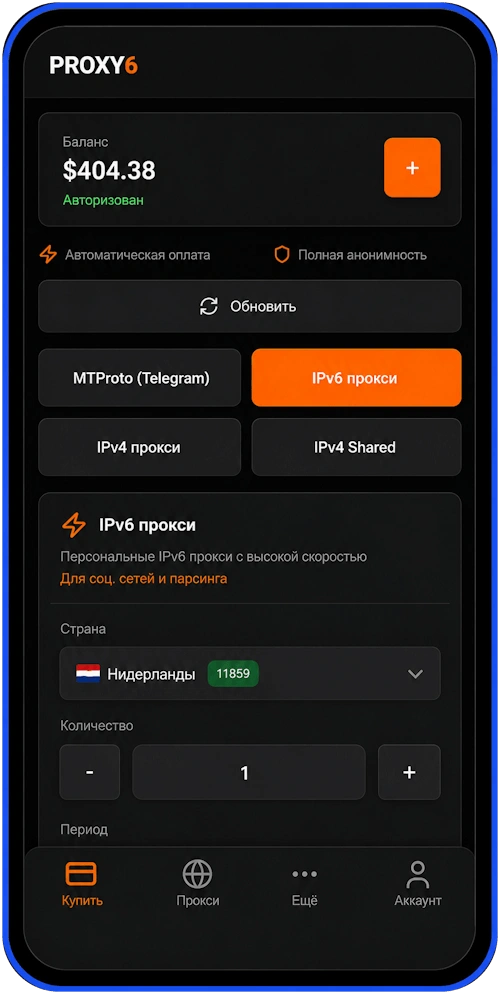
The main sections of the application are gathered around quick actions: purchase, list of active proxies, help and account settings.

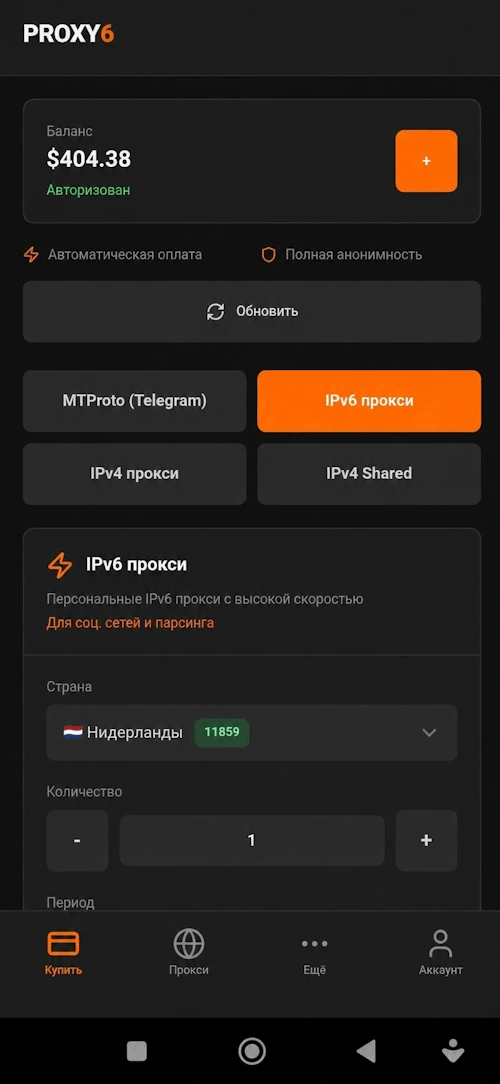
Quick purchase

Select the country, the number and the rental period in a few seconds.
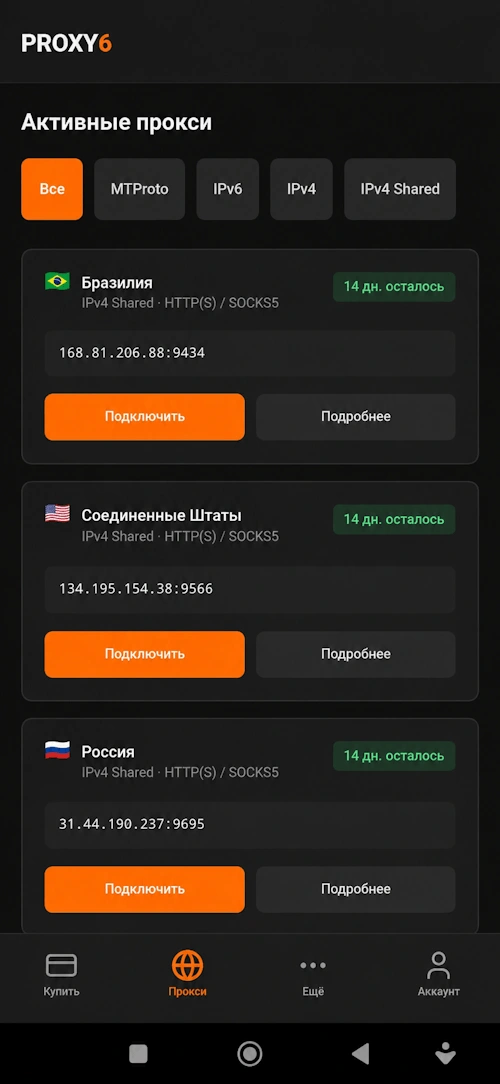
Active proxies

IP list, filters, expiration date, and one-click connection.
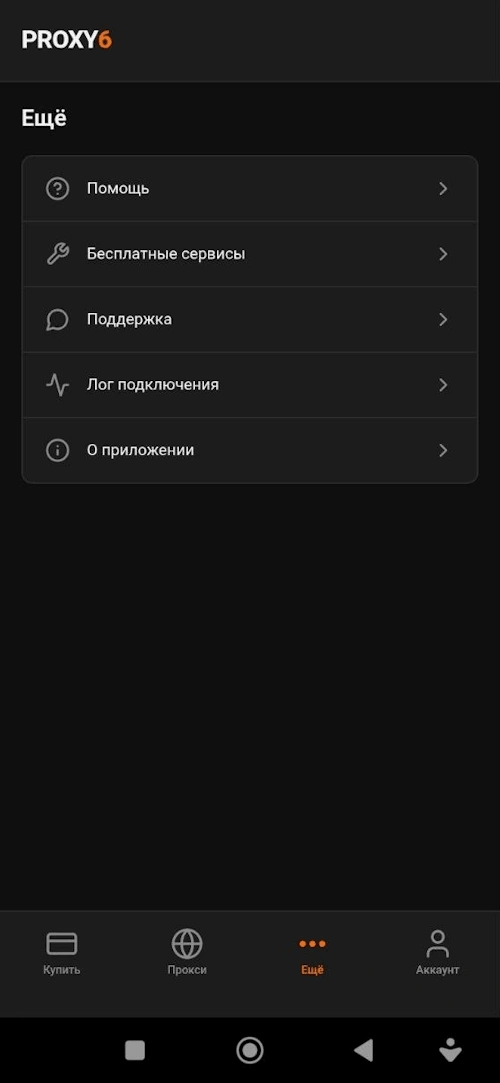
The “More” section

Support, free services, help, and connection logs.
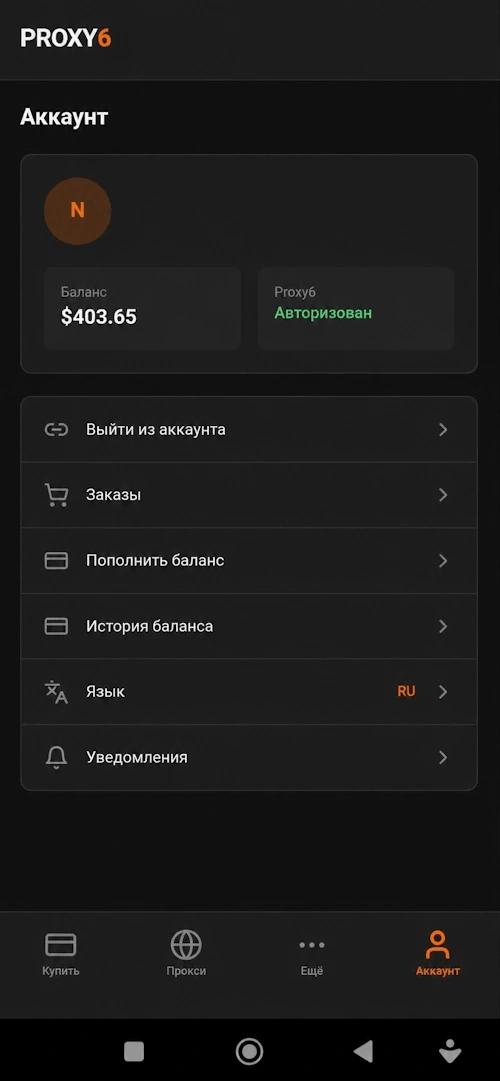
Account

Balance, orders, account replenishment, language, and notifications.

Main features

The application retains the familiar PROXY6 logic and makes daily work with the proxy faster.

Quick purchase

Making an order directly from your phone without going to the browser.

IPv4 & IPv6

Support for personal IPv4/IPv6 and IPv4 Shared proxies.

MTProto

Proxies for Telegram are available in the same purchase interface.

Black / White list

Configure which applications the proxy will work for.

Authorization

Login and password support for private proxies.

Rental periods

Monitoring of active proxies and the remaining validity period.

Download the Android app

Install the app and manage the proxy without a browser: buy, check the active IP addresses and monitor the lease terms.

Download APK min Android 8.0

Changelog

  • 1.0.43 2026-08-21Stable OTA 2026.08.21: Stripe minimum payment is 10 USD for USD accounts and 1000 RUB for RUB accounts.
  • 1.0.43 2026-08-18Proxy6 Hub 1.0.43: compatibility fix for older Android WebView, reliable app-list scrolling, and 32-bit ARM support. / Stable OTA 2026.08.18: restore responsive app-routing controls and reliable app-list scrolling on older Android WebView versions.
  • 1.0.42 2026-08-04Stable OTA 2026.08.04: keep recently expired proxies visible for two days so clients can renew them.
  • 1.0.42 2026-07-25Stable OTA 2026.07.25: recover automatically when a previously downloaded OTA bundle was removed by native cleanup.
  • 1.0.42 2026-07-22Proxy6 Hub 1.0.42: secure screenshot attachments in support. / Stable OTA 2026.07.22: secure screenshot attachments in support chats for clients and support staff.
  • 1.0.41 2026-07-14Stable OTA 2026.07.14-0350-apk-banner-check-fix: show APK update banner without requiring account sign-in and check sooner after app startup.
  • 1.0.41 2026-07-09Added Domain/IP routing rules with Direct or Proxy actions / Added the built-in RU direct preset / Fixed HTTP and SOCKS5 VPN connection handling / Fixed DNS handling for HTTP proxies / Added an in-app APK update banner / Improved OTA update application flow / Added loading indicators for proxy action buttons
  • 1.0.40 2026-07-01Fixed VPN core handling for IPv4 DNS and UDP / Added persistent connection logs / Improved MTProxy interface localization / Polished profile and proxy connection buttons
  • 1.0.16 2026-04-28Improved refresh of the installed apps list / Improved whitelist and blacklist app routing screens / Improved stability of the app selection screen
  • 1.0.15 2026-04-27Switched the app to the new server / Updated API endpoints / Updated OTA update endpoints / Improved compatibility with the new server infrastructure
  • 1.0.14 2026-04-24Fixed DNS configuration inside VPN / Switched DNS to a stable 8.8.8.8 and 1.1.1.1 setup / Fixed IPv6 mode behavior without forcing IPv6-only DNS / Disabled UDP relay to improve stability / Fixed a native crash during VPN reconnect/stop / Suppressed false connection issue notifications

FAQ

Short answers on installing and using the application.

How do I install the app on Android?

Download the APK file, open it on your device and confirm the installation. If Android asks for permission to install from a browser or file manager, enable it in the security settings.

What types of proxies are supported?

The application supports IPv6, IPv4, IPv4 Shared and MTProto proxies. HTTP(S) and SOCKS5 are available for IPv4 and IPv6.

Do I need a PROXY6 account?

Yes, a PROXY6 account is required to purchase, view active proxies, balance, and orders.

Is it possible to connect to the proxy from the app?

You can quickly open the connection data in the list of active proxies. For supported scenarios, you can connect or copy the parameters in one click.

How do I update the app?

The app update is available in the "More" >> "About" section, or you can download and update the app from the current page. Account data is saved if the application is not deleted manually.